


Download Adobe ShockWave Player – Free Secure Browser Plug‑in for Rich Multimedia
Overview
Adobe ShockWave Player, originally released as Macromedia Shockwave Player, remains one of the most widely‑used browser plug‑ins for displaying rich, interactive multimedia content. Unlike Adobe Flash Player, ShockWave is built to render files created with Adobe Director and the .dcr/.dxr family of formats, delivering 3D games, immersive product demos, interactive learning modules, and high‑resolution video simulations directly inside your web browser. The plug‑in is free to download and install, and it works seamlessly with major browsers such as Internet Explorer, Mozilla Firefox, and legacy versions of Chrome that still support NPAPI extensions.
While the web has largely shifted to HTML5, many legacy corporate training portals, museum exhibits, and niche gaming sites still depend on ShockWave to deliver smooth, lag‑free experiences. Adobe continues to provide security patches, although the community notes that new vulnerabilities occasionally surface, emphasizing the importance of keeping the player up to date. For users who still need to access content built before the HTML5 transition, Adobe ShockWave Player offers a secure, easy‑to‑install solution that integrates directly into the browser, eliminating the need for separate desktop applications.
Whether you are revisiting an old interactive advertisement, exploring a 3D product showcase, or completing a web‑based simulation for professional development, ShockWave provides the necessary runtime environment to view these experiences as intended.
Key Features
- Native 3D Rendering Engine: Supports hardware‑accelerated 3D graphics, allowing developers to embed complex scenes and real‑time simulations directly into web pages.
- Director Compatibility: Executes content authored with Adobe Director up to version MX 2004, ensuring legacy projects remain functional.
- Cross‑Browser Integration: Works with Internet Explorer, Mozilla Firefox, and older Chrome versions through NPAPI, providing a consistent experience across platforms.
- Secure Update Mechanism: Automatic background checks for patches keep the plug‑in protected against known exploits.
- Lightweight Installer: The download package is under 5 MB, and the installation completes in seconds, minimizing disruption.
- Extensive Media Support: Handles video, audio, vector graphics, and interactive scripting via Lingo or JavaScript.
- Network Protocol Support: Includes built‑in support for HTTP, HTTPS, and FTP, enabling smooth streaming of remote assets.
- Developer Tools Integration: Provides debugging hooks for developers to test and troubleshoot ShockWave content directly in the browser.
These features combine to create a robust runtime environment that still powers niche sections of the web where high‑fidelity interactivity is required. The hardware acceleration ensures that even complex 3D environments render smoothly on modern GPUs, while the automatic update system helps mitigate security concerns that have historically plagued browser plug‑ins. For educational institutions, museums, and corporate training departments that still rely on Director‑based modules, Adobe ShockWave Player offers a cost‑free, reliable bridge between legacy content and contemporary browsers.
Installation, Usage & Compatibility
Step‑by‑Step Installation Guide
1. Download the Installer: Visit Adobe’s official ShockWave download page and click the “Download” button for your operating system. The file is named Shockwave_Installer.exe for Windows or Shockwave_Installer.dmg for macOS.
2.
Run the Installer: Double‑click the downloaded file. Windows users will see a security prompt—choose “Run.” macOS users will need to drag the ShockWave icon to the Applications folder.
3. Accept the License Agreement: Review the End‑User License Agreement (EULA) and click “I Agree” to proceed.
4.
Select Browser Integration: The installer will automatically detect installed browsers and ask which ones to enable. Check Internet Explorer and Firefox (or any supported browser) and click “Next.”
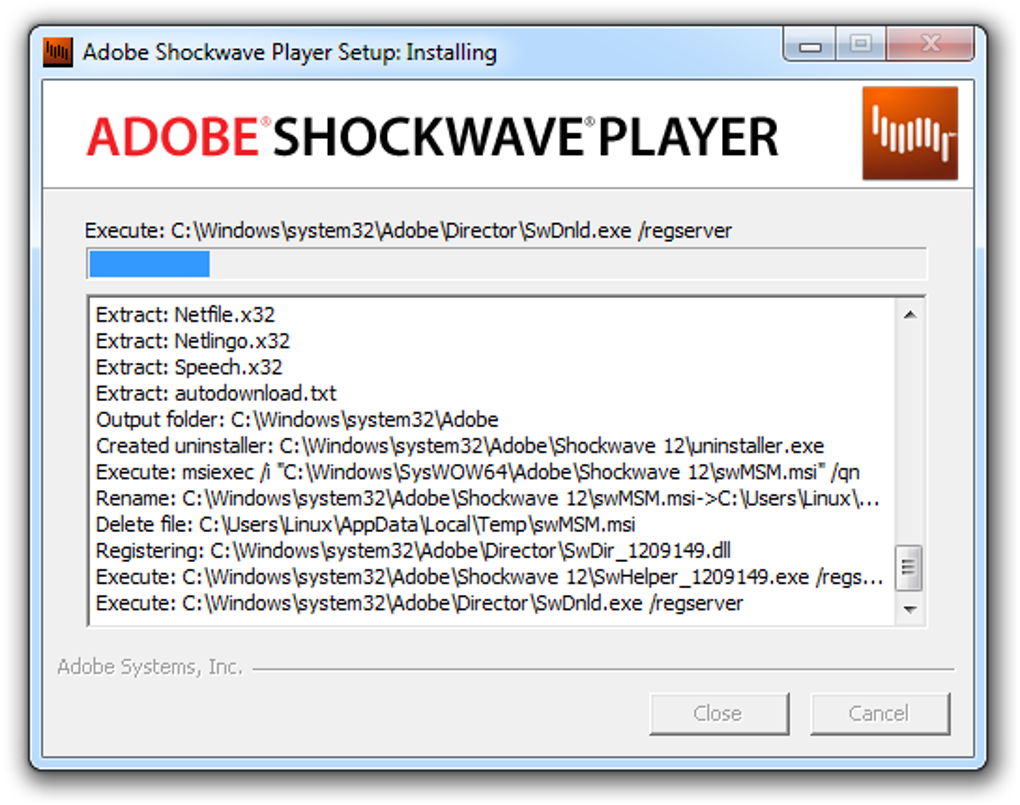
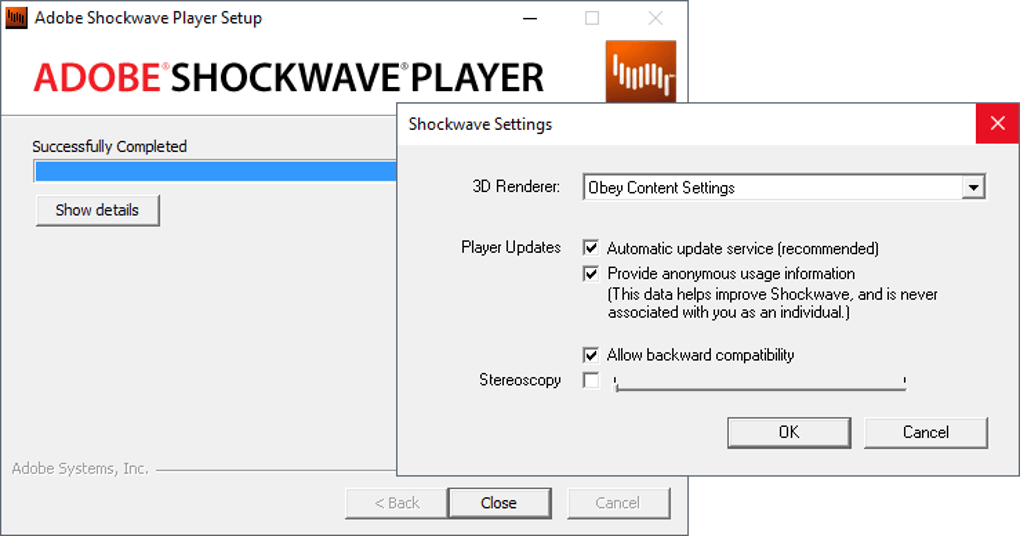
5. Complete Installation: The process typically finishes within 30 seconds.
Once complete, you’ll receive a confirmation dialog prompting you to restart your browsers.
6. Verify Installation: Open a browser and navigate to about:plugins (Firefox) or “Manage Add‑ons” (IE) to confirm ShockWave appears in the list.
Using ShockWave in Everyday Browsing
After installation, any web page containing ShockWave content will automatically display the embedded media. When you encounter a ShockWave element, the plug‑in will load the required resources and render the interactive experience directly in the page. For the best performance, keep your graphics driver updated and enable hardware acceleration in the browser’s settings. If a page fails to load, clicking the “Update ShockWave” link (often displayed near the missing content) will launch the built‑in updater, ensuring you have the latest security patches and feature enhancements.
Compatibility Overview
Adobe ShockWave Player is officially supported on the following operating systems:
- Windows 10, 8.1, 8, and 7 (32‑bit and 64‑bit)
- macOS 10.9 (Mavericks) through macOS 10.15 (Catalina) – later macOS versions may require legacy browser versions.
- Limited support for Linux via Wine or third‑party NPAPI wrappers (not officially endorsed by Adobe).
While mobile platforms such as Android and iOS never received a native ShockWave plug‑in, some developers package ShockWave content inside hybrid apps using Adobe Air. However, the primary use case remains desktop browsers. Users on newer operating systems should verify that their browsers still support NPAPI extensions; otherwise, consider using a legacy browser version or a virtual machine with an older OS to maintain access to legacy ShockWave content.
Pros & Cons
Advantages
- Free to download and use for both personal and commercial purposes.
- Robust 3D graphics rendering, ideal for simulations and games.
- Seamless integration with major browsers that still support NPAPI.
- Automatic update feature reduces exposure to known vulnerabilities.
- Lightweight installer and quick setup process.
- Broad compatibility with legacy Adobe Director projects.
Drawbacks
- Modern browsers have phased out NPAPI, limiting future compatibility.
- Security concerns persist; users must stay vigilant with updates.
- No native support for mobile operating systems (Android/iOS).
- Limited community support as development focus has shifted to HTML5.
- Potential performance issues on very old hardware without hardware acceleration.
FAQ – Frequently Asked Questions
Is Adobe ShockWave Player still safe to use?
While Adobe continues to release security patches for ShockWave, the plug‑in is no longer actively developed as a primary web technology. It remains safe if you keep the player updated through the built‑in updater and only install it from Adobe’s official site. Avoid using outdated browsers that lack automatic update mechanisms.Can ShockWave play Flash (.swf) files?
No. ShockWave and Flash are separate runtimes. ShockWave renders content created with Adobe Director, while Flash Player handles .swf files. To view Flash content, you still need Adobe Flash Player or an alternative that supports SWF.Which browsers are compatible with ShockWave today?
As of 2025, Internet Explorer 11 and Mozilla Firefox ESR versions that still support NPAPI are the most reliable choices. Legacy versions of Chrome (prior to version 45) also work, but they are no longer supported or recommended for general browsing.Do I need ShockWave to view modern web content?
For the majority of today’s websites, no. HTML5, WebGL, and JavaScript have replaced the need for plug‑ins. However, certain legacy training portals, museum exhibits, and niche gaming sites still rely on ShockWave, making it necessary for those specific use cases.How do I uninstall Adobe ShockWave Player?
On Windows, open Control Panel → Programs and Features, locate “Adobe ShockWave Player,” and click “Uninstall.” On macOS, drag the ShockWave application from the Applications folder to the Trash and empty it. Restart your browsers to remove any residual plug‑in references.Conclusion & Call to Action
Adobe ShockWave Player continues to serve a specialized niche of web content that demands high‑performance 3D rendering and deep integration with legacy Director projects. While the broader web ecosystem has moved toward HTML5, many educational institutions, corporate training platforms, and interactive museums still rely on ShockWave to deliver immersive experiences. If you encounter a site that prompts you to “Enable ShockWave” or you have archived multimedia assets that require this runtime, downloading the free plug‑in is a straightforward way to regain access.
Remember to keep the player updated, use a compatible browser, and only download from Adobe’s official site to maintain security. Ready to explore classic web‑based simulations, games, and interactive demos? Download Adobe ShockWave Player now and enjoy seamless multimedia playback directly from your browser.







